
Parental Control - Kidslox
Kidslox, Inc.Parenting
4.01.75K Reviews
- Version
- 11.1.3
- Installs
- 1.00M
- Age Rating
- Everyone
Screenshots
Our Review of Parental Control - Kidslox
 Analysis by Appyee
When a child’s phone starts interrupting homework, meals, or bedtime, I find that a clear household rule is more useful than another reminder shouted across the room. A parental control app can help make those rules consistent, but it works best as a support for conversations—not as a substitute for them. Kidslox is aimed at families who want to manage screen time and restrict access to apps or games from a parent’s device.
What makes this kind of tool worthwhile is not simply the ability to block a screen. It is the chance to agree on when a device is useful, when it gets in the way, and how to handle exceptions. I would approach Kidslox as a practical way to reinforce those agreements, while staying ready to adjust them as a child’s age, schoolwork, and independence change.
What the free starting point tells you
Kidslox is a free parenting app from Kidslox, Inc., and it includes in-app purchases. Those purchases range from under a dollar to well over a hundred dollars per item, so I would check the current purchase options in the app before deciding whether any paid tier fits your family. The app’s presence on both Android and iOS makes it relevant to households where parents and children do not all use the same platform.
It has an Everyone content rating, and its current version is 10.9.3. Kidslox has been available since 2015 and has built an audience of over a million installs, with an average rating of 4.1 from around 36,000 ratings. Those figures suggest many families have tried it, but they cannot tell you whether its controls will suit your child’s particular device or your home’s rules. I would treat the free access as a chance to explore the setup and judge the fit, not as proof that every feature you might want is included without payment.
Where the controls can help in daily life
The most useful way to think about Kidslox is as a shared routine tool. For example, a parent could set a screen-time boundary before the school week starts, then use a schedule to make evenings more predictable. That can reduce the daily negotiation over whether “just one more video” counts as a reasonable exception. It also gives a child a concrete rule to understand, rather than making access depend on a parent’s mood or availability.
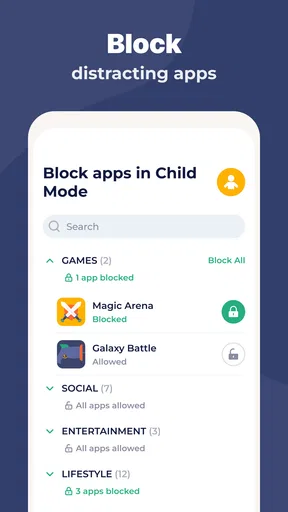
Blocking apps and games can be helpful when a particular distraction keeps derailing an agreed routine. I would be selective: restricting one or two problem apps is easier to explain and revisit than applying broad limits without discussion. Before changing a rule, I’d ask whether the app is interfering with sleep, homework, or family time, and whether a simpler household agreement might solve the same problem. That keeps the controls connected to a real concern instead of turning them into punishment by default.
For a family with more than one child, a single parent account for several devices can make routine management less scattered. Still, the same limits will not necessarily work for siblings of different ages. I’d review each child’s needs separately—school requirements, communication with friends, and how reliably they follow an agreed schedule—rather than assuming one set of restrictions is fair for everyone.
Trade-offs to consider before relying on it
Parental controls can save time, but they can also create friction if a device is restricted at the wrong moment. A child may need a phone for a school task, a family message, or a change in pickup plans. I would explain the rules ahead of time and decide how exceptions should be handled. If a tool makes it difficult to respond to a genuine need, the household rule may need adjusting, even if the original limit seemed sensible.
Another trade-off is trust. Monitoring and blocking can reassure a parent, yet a child who feels watched without explanation may try to work around the rules or stop sharing what they encounter online. I’d tell children what the controls are for, which boundaries are in place, and when we will review them. The goal should be safer, calmer device use—not catching a child out.
Kidslox is less compelling for parents who only need a basic device timer or who already have a simple, dependable arrangement through their phone’s built-in family controls. A dedicated app makes more sense when a parent wants a central place to manage a child’s device and establish consistent routines across the family. If detailed supervision is not needed, adding another account and set of rules may create more administration than value.
Getting Started with Kidslox
First off, setting up Kidslox is pretty straightforward, which I absolutely love. You just download it from the App Store or Google Play, sign up, and boom, you’re ready to go. The app walks you through the setup process with a friendly interface that even the least tech-savvy among us can handle. I mean, who has time for complicated setups, right?
Once installed, you can link multiple devices to a single account. This is super handy if you have more than one kiddo to monitor. Plus, the app supports both iOS and Android, so no worries about compatibility issues there. You can manage everything from your own smartphone, which is a huge plus in my book.
Features that Stand Out
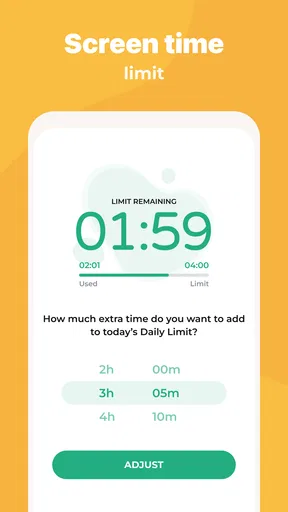
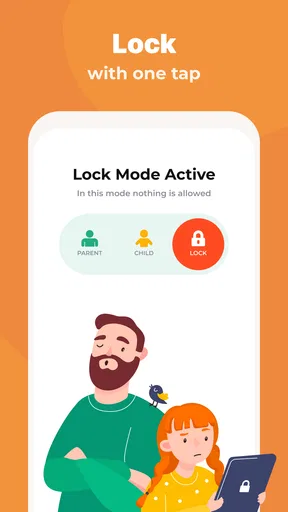
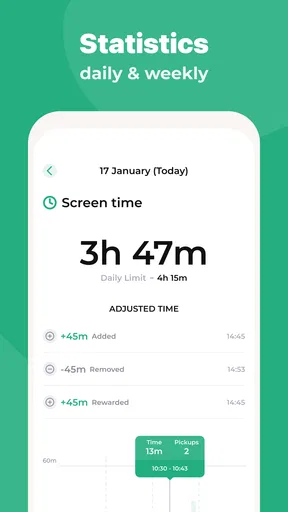
Now, let’s talk features because Kidslox packs quite a punch. One of my favorites is the ability to set daily screen time limits. You can decide how much screen time is appropriate for each child, and the app will automatically lock their device once they hit that limit. It’s like having a digital nanny at your fingertips!
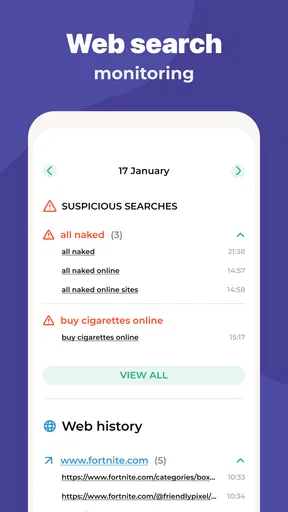
Another cool feature is the content blocking. You can block specific apps and websites, ensuring your kids don’t stumble upon anything they shouldn’t. I found this particularly useful for those sneaky apps that are more addictive than they seem.
There’s also a neat scheduling tool that lets you set specific times for device use. For instance, you can allow screen time only after homework hours or during weekends. It’s all about balance, right?
User Experience
In terms of user experience, Kidslox really nails it. The app is intuitive and visually appealing, with a clean layout that makes it easy to navigate. I didn’t find myself hunting for features or getting frustrated, which is always a win.
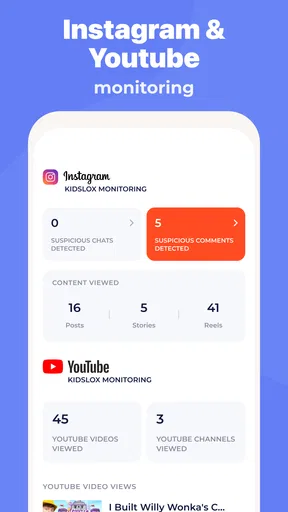
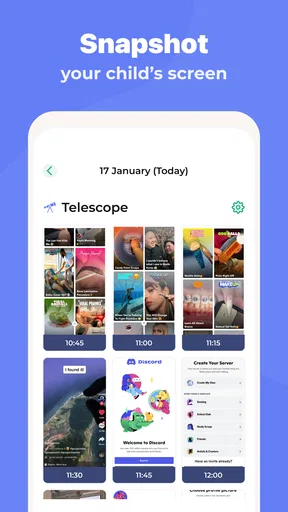
Plus, the app sends regular alerts and reports, giving you insights into your child’s screen habits. You can see what apps they use the most and adjust restrictions accordingly. It’s all about giving you peace of mind while helping your kids develop healthy digital habits.
Is It Worth It?
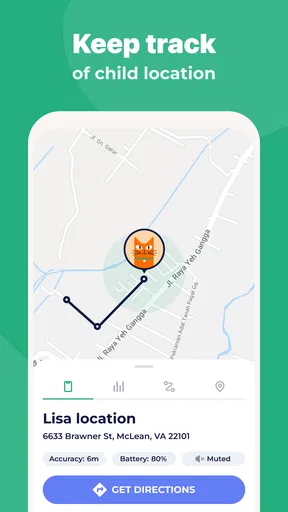
Alright, so let’s talk value. Kidslox offers a free version with basic features, which is great for testing the waters. However, if you’re serious about parental control, the premium version is where it’s at. It’s packed with additional features like location tracking and more sophisticated filters.
While there’s a subscription fee involved, I personally think it’s worth it for the peace of mind it brings. Plus, considering how much screen time our kids are exposed to, investing in a tool like this just makes sense.
Wrapping it up, Kidslox is a solid choice for any parent looking to manage their children’s screen time effectively. It’s user-friendly, feature-rich, and gives you the control you need without being overly intrusive. Give it a shot and see how it works for your family. Trust me, it’s a game-changer!
A routine that feels workable rather than punitive
One realistic use is a school-night routine that the child already understands: devices are available after homework, then become unavailable at the agreed bedtime. The scheduling tool can help make that pattern predictable, while a daily limit can keep weekend use from expanding without anyone noticing. I’d set the rule with the child before turning it on, then explain what happens if a legitimate exception comes up. That small conversation can prevent the control from feeling like an unexpected lockout.
A useful tip is to begin with the least restrictive setup that addresses the actual problem. If gaming is the issue, try limiting the relevant game or agreeing on a set period rather than blocking every entertainment app. If bedtime is the concern, a schedule may be more appropriate than a broad daily cap. Making one change at a time also helps a parent see whether the rule is solving the problem or merely shifting it to another app or time of day.
Using reports as a prompt, not a verdict
Usage reports can help identify patterns that are hard to spot from occasional glances at a screen. I would use them as conversation starters: if one app is taking up more attention than expected, ask the child what they use it for before deciding to restrict it. The same amount of time can mean very different things depending on whether a child is chatting with friends, watching videos, or working on something for school. A report offers context to investigate, not a complete picture of a child’s online life.
It is also worth checking restrictions after a schedule change, a school break, or a new activity. A rule that made sense during a busy term may be unnecessarily tight during a holiday, while a late practice or changed pickup plan may call for a different evening routine. Treating settings as adjustable helps avoid the common trap of installing a control once and assuming it will remain suitable indefinitely.
How it compares with built-in controls
Many phones already offer family settings or screen-time tools, so Kidslox is not automatically the best choice for every household. Built-in controls can be the simpler option when a parent wants only a basic limit and the family uses a straightforward device setup. A dedicated parenting app may be more appealing if the parent prefers to manage several linked devices from one place or wants the particular combination of scheduling, app restrictions, and usage reports described here.
The trade-off is another app to configure and maintain. A parent should consider whether the child’s device can be managed in the way the family expects, and whether the setup remains clear when devices use different operating systems. Since Kidslox supports Android and iOS, mixed-device homes have a reason to consider it, but I would still test the actual parent-and-child setup before building a complicated household routine around it.
Questions worth settling before you depend on it
Can it help with more than one child? The ability to link multiple devices to one account makes it practical for families with several children, but I would still check that each child’s limits can reflect their individual needs. A shared management point is convenient; identical rules are not always fair or useful.
Will it work for a parent and child using different platforms? Its Android and iOS support makes that arrangement possible in principle. I’d confirm the exact setup on the devices in the household before relying on a schedule for an important routine, especially if the parent expects to manage everything from one phone.
Does free access cover the controls a family needs? Kidslox is free to download and offers in-app purchases, but the available purchase options should be checked inside the app. I would decide which specific control matters most first, then see whether the free experience meets that need before paying. The range of purchase prices is wide enough that assuming a particular feature is included at a particular cost would be unwise.
Can it replace a parent’s judgement? No app can decide whether a child’s use is appropriate in context or make a family’s rules feel fair. Kidslox can help apply limits and make patterns easier to notice, but it cannot replace calm conversations, age-appropriate trust, or a parent’s decision to make an exception when circumstances change.
Who is most likely to get value
I’d recommend trying Kidslox if screen-time arguments repeat at predictable moments, such as homework, meals, or bedtime, and the adults in the household want a consistent way to apply agreed boundaries. It may also suit a family managing multiple children’s devices, provided someone is willing to tailor settings and revisit them rather than treating a single rule as permanent.
I’d skip it if a child is old enough for a collaborative agreement that already works, if the household only needs a basic timer, or if monitoring would undermine trust more than it would help. It is also a poor fit for anyone expecting parental controls to solve every online safety concern without active involvement. App limits can shape access, but they are not a substitute for teaching children how to make good decisions when no restriction is in place.
My buy-or-skip verdict
For me, the value question starts with the free access: try the setup and see whether its approach matches the family’s routine before considering any in-app purchase. Paid options may be worthwhile if they provide a control your household genuinely needs, but I would not pay simply because a premium tier sounds more complete. The purchase range runs from under a dollar to over a hundred dollars per item, so checking the exact option and its cost matters more than guessing from the headline price.
Overall, Kidslox is most useful when parents want screen-time boundaries to be consistent, visible, and revisable. Its mix of limits, scheduling, app blocking, and reports gives families several ways to handle common friction without making every decision in the moment. I’d start with one clearly explained rule, see how it affects daily life, and adjust from there. If that sounds like the kind of support your household needs, it is worth exploring; if a simpler built-in setting already works, there may be no reason to add another layer.
Verdict
Strengths of Parental Control - Kidslox
- User-friendly interface for easy navigation.
- Comprehensive web filtering options.
- Cross-platform compatibility.
- Customizable screen time limits.
- Real-time location tracking.
Limitations of Parental Control - Kidslox
- Limited free version features.
- Setup can be time-consuming.
- Occasional app stability issues.
- In-app purchases can add up.
- No call/text monitoring.
Other Releases by Kidslox, Inc.
View All
ChoreReward: Family Habits
Parenting4.2
Similar Picks in This Category
View All
Family Space
Motorola Mobility LLC.3.9

شرطة الأطفال - مكالمة وهمية
Oub Apps4.1

Findmykids: Parental Control
LETEM LTD4.6

Pregnancy + | Tracker App
Philips Electronics UK Limited4.8

Policía de niños - para padres
Kids police4.7

Pregnancy App
Amila4.9
Frequently Asked Questions
What features does Kidslox offer for parental control?
Kidslox provides a comprehensive suite of features for parental control, including screen time management, app blocking, web filtering, and location tracking. Parents can set daily time limits, block specific apps or categories, and monitor online activity to ensure a safe digital environment for their children.
Is Kidslox compatible with both Android and iOS devices?
Yes, Kidslox is compatible with both Android and iOS devices. It allows cross-platform management, meaning you can control an Android device from an iOS device and vice versa. This flexibility ensures that parents can monitor and manage their children's devices regardless of the operating system.
How easy is it to set up Kidslox on devices?
Setting up Kidslox is straightforward. After downloading the app, you create an account and follow the guided setup process to link your child’s device. The app provides clear instructions and support to ensure a smooth installation and configuration, making it accessible even for those not tech-savvy.
Does Kidslox offer a free version or trial period?
Kidslox offers a free version with limited features, allowing users to get a feel for the app before committing. Additionally, there is a 3-day free trial for the premium version, which unlocks all features. This trial period helps users decide if the full feature set meets their needs.
How secure is Kidslox in terms of data privacy?
Kidslox prioritizes data privacy and security, employing robust encryption methods to protect user data. The app adheres to strict privacy regulations and does not sell user data to third parties, ensuring that your family’s information remains confidential and secure.
